


Preparing for a video interview involves considerations beyond traditional interview preparation. Successful video interviews depend as much on technology, setup and presentation as they do on your qualifications for the role.
This comprehensive guide to video interviews provides all the info you need to prepare for and ace your next video interview.
Preparing for a video interview involves considerations beyond traditional interview preparation. Successful video interviews depend as much on technology, setup and presentation as they do on your qualifications for the role.
This comprehensive guide to video interviews provides all the info you need to prepare for and ace your next video interview.
Preparing for a video interview involves considerations beyond traditional interview preparation. Successful video interviews depend as much on technology, setup and presentation as they do on your qualifications for the role.
This comprehensive guide to video interviews provides all the info you need to prepare for and ace your next video interview.
This stage is crucial to setting yourself up for success. Thorough preparation shows that you respect the interviewer’s time and are serious about the opportunity.
1. Update Your Laptop and Technology
Technical issues can derail even the best interview. Take the time to ensure everything is set up correctly well before the interview:
Check Your Software:
- Ensure that your video conferencing software (Zoom, Google Meet, Microsoft Teams, etc.) is fully updated. Outdated software could cause glitches, delays, or even prevent the interview from starting.
Test Your Audio and Video:
- Test your camera, microphone, and speakers at least 24 hours before the interview. Most video platforms have test modes where you can check your equipment. If possible, practice with a friend or family member to ensure everything works seamlessly.
- If your computer has an internal microphone and camera, test their quality. External microphones or webcams often offer better sound and image quality if you have them available.
Have a Backup Plan:
- Keep your phone nearby as a backup in case of internet or software issues. Install the interview platform’s app on your phone so you can switch over quickly if necessary.
- Make sure your phone is fully charged before the interview starts.
Close Other Apps:
- Before the interview, close unnecessary programs and tabs on your computer. This helps prevent notifications from interrupting the interview and frees up your system resources to keep everything running smoothly.

Have a Backup Plan:
- Keep your phone nearby as a backup in case of internet or software issues. Install the interview platform’s app on your phone so you can switch over quickly if necessary.
- Make sure your phone is fully charged before the interview starts.
Close Other Apps:
- Before the interview, close unnecessary programs and tabs on your computer. This helps prevent notifications from interrupting the interview and frees up your system resources to keep everything running smoothly.
Have a Backup Plan:
- Keep your phone nearby as a backup in case of internet or software issues. Install the interview platform’s app on your phone so you can switch over quickly if necessary.
- Make sure your phone is fully charged before the interview starts.
Close Other Apps:
- Before the interview, close unnecessary programs and tabs on your computer. This helps prevent notifications from interrupting the interview and frees up your system resources to keep everything running smoothly.
This stage is crucial to setting yourself up for success. Thorough preparation shows that you respect the interviewer’s time and are serious about the opportunity.
1. Update Your Laptop and Technology
Technical issues can derail even the best interview. Take the time to ensure everything is set up correctly well before the interview:
Check Your Software:
- Ensure that your video conferencing software (Zoom, Google Meet, Microsoft Teams, etc.) is fully updated. Outdated software could cause glitches, delays, or even prevent the interview from starting.
Test Your Audio and Video:
- Test your camera, microphone, and speakers at least 24 hours before the interview. Most video platforms have test modes where you can check your equipment. If possible, practice with a friend or family member to ensure everything works seamlessly.
- If your computer has an internal microphone and camera, test their quality. External microphones or webcams often offer better sound and image quality if you have them available.
Have a Backup Plan:
- Keep your phone nearby as a backup in case of internet or software issues. Install the interview platform’s app on your phone so you can switch over quickly if necessary.
- Make sure your phone is fully charged before the interview starts.
Close Other Apps:
- Before the interview, close unnecessary programs and tabs on your computer. This helps prevent notifications from interrupting the interview and frees up your system resources to keep everything running smoothly.
Have a Backup Plan:
- Keep your phone nearby as a backup in case of internet or software issues. Install the interview platform’s app on your phone so you can switch over quickly if necessary.
- Make sure your phone is fully charged before the interview starts.
Close Other Apps:
- Before the interview, close unnecessary programs and tabs on your computer. This helps prevent notifications from interrupting the interview and frees up your system resources to keep everything running smoothly.
2. Prepare Your Space
Your interview environment can have a significant impact on the overall impression you leave. Here’s how to make sure your space is optimized for a professional video interview:
Choose the Right Location:
- Select a quiet, well-lit room where you won’t be interrupted. Avoid high-traffic areas in your home or any place where background noise could be an issue.
- Ensure the space has strong internet connectivity—if you’re unsure, do a speed test to confirm it will support video calls without interruptions.
Optimize Your Background:
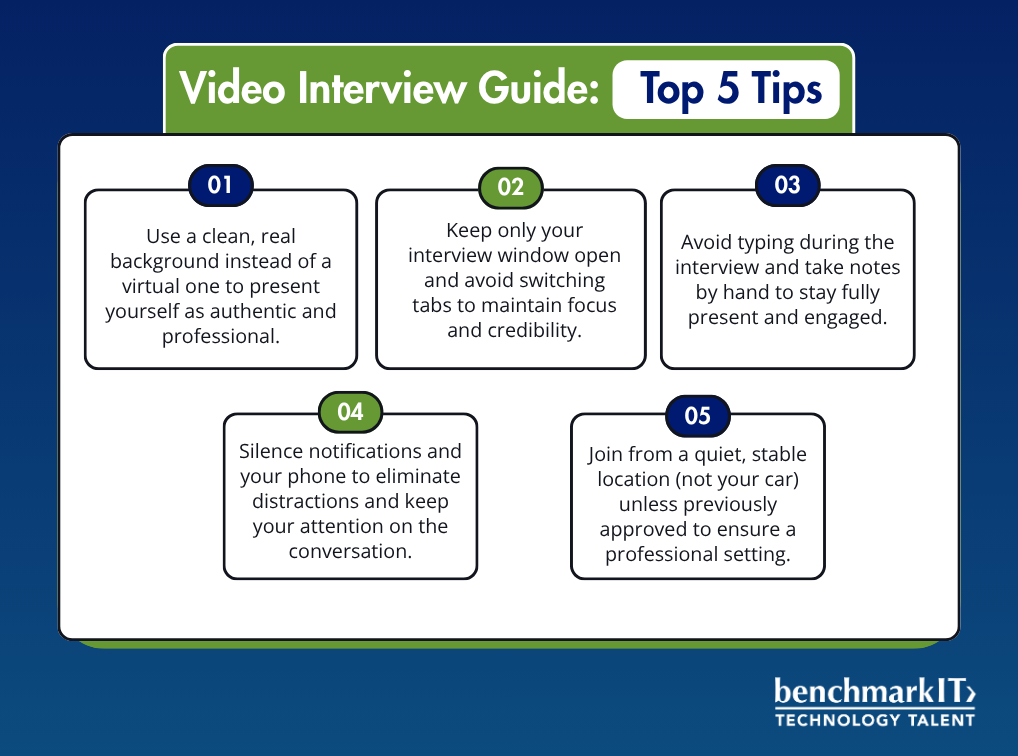
- Aim for a neutral, clutter-free background. A plain wall, bookshelf, or neat desk is ideal.
- Avoid overly personal or distracting items in the background (like laundry, family photos, or loud artwork).
- If you’re using a virtual background, choose something simple and professional—nothing flashy or distracting. Tools like Zoom offer simple office or neutral backgrounds that are great for interviews.

Lighting Setup:
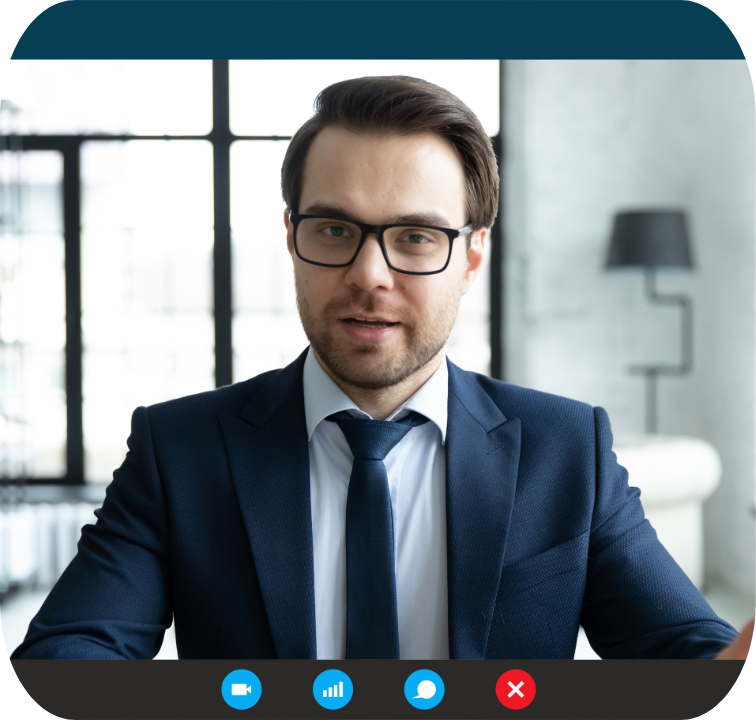
- Make sure your face is well-lit by sitting in front of a window or using a lamp that lights your face evenly.
- Avoid sitting with your back to a window or bright light source as this can create a silhouette effect, making it hard for the interviewer to see you clearly.
Camera Placement:
- Set your camera at eye level to mimic a natural, face-to-face conversation. Prop your laptop or camera up on a stack of books if necessary.
- Ensure your head and shoulders are centered in the frame, leaving a little space at the top of the frame, similar to a professional headshot.
2. Prepare Your Space
Your interview environment can have a significant impact on the overall impression you leave. Here’s how to make sure your space is optimized for a professional video interview:
Choose the Right Location:
- Select a quiet, well-lit room where you won’t be interrupted. Avoid high-traffic areas in your home or any place where background noise could be an issue.
- Ensure the space has strong internet connectivity—if you’re unsure, do a speed test to confirm it will support video calls without interruptions.
Optimize Your Background:
- Aim for a neutral, clutter-free background. A plain wall, bookshelf, or neat desk is ideal.
- Avoid overly personal or distracting items in the background (like laundry, family photos, or loud artwork).
- If you’re using a virtual background, choose something simple and professional—nothing flashy or distracting. Tools like Zoom offer simple office or neutral backgrounds that are great for interviews.

Lighting Setup:
- Make sure your face is well-lit by sitting in front of a window or using a lamp that lights your face evenly.
- Avoid sitting with your back to a window or bright light source as this can create a silhouette effect, making it hard for the interviewer to see you clearly.
Camera Placement:
- Set your camera at eye level to mimic a natural, face-to-face conversation. Prop your laptop or camera up on a stack of books if necessary.
- Ensure your head and shoulders are centered in the frame, leaving a little space at the top of the frame, similar to a professional headshot.
3. Dress the Part
Dressing appropriately is about more than just looking good—it’s about signaling to the interviewer that you respect the interview process and take it seriously. Consider the following:

Research the Company’s Dress Code:
- If possible, research the company’s dress code to get a sense of how formal or casual they are. You can often find clues in their social media presence or employee profiles on LinkedIn. If in doubt, it’s better to err on the side of being slightly overdressed rather than underdressed.
Stick to Professional Attire:
- Business attire such as a blazer, button-down shirt, or blouse is generally a safe bet. If the company is more casual, you can adjust accordingly but keep the look polished.
- Dark or neutral tones (navy, black, gray) work best on camera because they don’t reflect light or create distractions. Avoid busy patterns or overly bright colors that could be distracting.
- Don’t forget to dress fully, even below the waist. You never know when you might need to stand up unexpectedly!
3. Dress the Part
Dressing appropriately is about more than just looking good—it’s about signaling to the interviewer that you respect the interview process and take it seriously. Consider the following:


Research the Company’s Dress Code:
- If possible, research the company’s dress code to get a sense of how formal or casual they are. You can often find clues in their social media presence or employee profiles on LinkedIn. If in doubt, it’s better to err on the side of being slightly overdressed rather than underdressed.
Stick to Professional Attire:
- Business attire such as a blazer, button-down shirt, or blouse is generally a safe bet. If the company is more casual, you can adjust accordingly but keep the look polished.
- Dark or neutral tones (navy, black, gray) work best on camera because they don’t reflect light or create distractions. Avoid busy patterns or overly bright colors that could be distracting.
- Don’t forget to dress fully, even below the waist. You never know when you might need to stand up unexpectedly!
4- Review and prepare for traditional Interview Questions
A successful interview hinges on how well-prepared you are to answer traditional questions. Be ready for a variety of question types, including behavioral, adaptability, and problem-solving questions. Here’s how to prepare:
Behavioral Questions:
Behavioral questions are designed to assess how you’ve handled specific situations in the past, as past behavior is often a good indicator of future performance. They often start with phrases like, “Tell me about a time when…” or “Give me an example of…”
When tackling behavioral interview questions, it’s highly effective to use the STAR method to structure your responses. STAR stands for Situation, Task, Action, and Result. This method helps you provide clear, detailed answers that highlight your skills and experiences. Start by describing the Situation to give context to your story, then explain the Task or challenge you were facing. Next, focus on the Action you took, detailing the specific steps you implemented. Finally, share the Result of your actions, emphasizing the positive outcomes and what you learned. Using the STAR method will ensure your answers are well-organized, concise, and impactful, making it easier for interviewers to understand your thought process and capabilities. Make sure to use this approach when answering all behavioral questions for a polished and professional response!



Example Question: Tell me about a time when you had to lead a team under tight deadlines.
How to Answer with STAR:
- Situation: Set the scene. “In my previous role as a project manager, we were assigned a complex project with only two weeks to deliver, whereas our normal lead time was four weeks.”
- Task: Explain your role. “I was responsible for coordinating a cross-functional team to ensure we met the client’s deadline.”
- Action: Describe what you did. “I broke the project into critical tasks, delegated efficiently based on team strengths, and held daily check-ins to track progress.”
- Result: Share the outcome. “We delivered the project on time, with zero defects, and the client extended our contract for future projects.”

Problem-Solving Questions:
Problem-solving questions gauge your ability to think critically, navigate challenges, and offer solutions. These questions assess how you approach obstacles and come up with creative solutions.
Example Question:Tell me about a time when you had to troubleshoot a complex issue.
How to Answer with STAR:
- Situation: Explain the problem. “While working as a software engineer, I encountered a bug in our application just before launch.”
- Task: Describe your responsibility. “I was tasked with diagnosing and fixing the issue before the product release deadline.”
- Action: Outline the steps you took. “I collaborated with my team to isolate the root cause, ran multiple test cases, and implemented a fix.”
- Result: Share the impact. “The fix was successful, and we launched on time without further issues. The client praised our quick turnaround.”

Adaptability Questions:
Adaptability questions test your ability to handle change, unpredictability, and ambiguity. In fast-paced work environments, adaptability is crucial.
Example Question:Tell me about a time when you had to quickly adapt to a new process or technology.
How to Answer with STAR:
- Situation: Describe the context. “My previous company introduced a new CRM system with only a week’s notice.”
- Task: Explain what was expected of you. “As the team lead, I was responsible for learning the system quickly and ensuring my team’s successful adoption.”
- Action: Detail the actions you took. “I immediately began self-training, took online courses, and created aquick start guide for my team.”
- Result: Highlight the result. “Within a week, we were fully operational on the new system, which increased our client response rate by 25%.”

Problem-Solving Questions:
Problem-solving questions gauge your ability to think critically, navigate challenges, and offer solutions. These questions assess how you approach obstacles and come up with creative solutions.
Example Question:Tell me about a time when you had to troubleshoot a complex issue.
How to Answer with STAR:
- Situation: Explain the problem. “While working as a software engineer, I encountered a bug in our application just before launch.”
- Task: Describe your responsibility. “I was tasked with diagnosing and fixing the issue before the product release deadline.”
- Action: Outline the steps you took. “I collaborated with my team to isolate the root cause, ran multiple test cases, and implemented a fix.”
- Result: Share the impact. “The fix was successful, and we launched on time without further issues. The client praised our quick turnaround.”

Example Question: Tell me about a time when you had to lead a team under tight deadlines.
How to Answer with STAR:
- Situation: Set the scene. “In my previous role as a project manager, we were assigned a complex project with only two weeks to deliver, whereas our normal lead time was four weeks.”
- Task: Explain your role. “I was responsible for coordinating a cross-functional team to ensure we met the client’s deadline.”
- Action: Describe what you did. “I broke the project into critical tasks, delegated efficiently based on team strengths, and held daily check-ins to track progress.”
- Result: Share the outcome. “We delivered the project on time, with zero defects, and the client extended our contract for future projects.”
Problem-Solving Questions:
Problem-solving questions gauge your ability to think critically, navigate challenges, and offer solutions. These questions assess how you approach obstacles and come up with creative solutions.
Example Question:Tell me about a time when you had to troubleshoot a complex issue.
How to Answer with STAR:
- Situation: Explain the problem. “While working as a software engineer, I encountered a bug in our application just before launch.”
- Task: Describe your responsibility. “I was tasked with diagnosing and fixing the issue before the product release deadline.”
- Action: Outline the steps you took. “I collaborated with my team to isolate the root cause, ran multiple test cases, and implemented a fix.”
- Result: Share the impact. “The fix was successful, and we launched on time without further issues. The client praised our quick turnaround.”

Adaptability Questions:
Adaptability questions test your ability to handle change, unpredictability, and ambiguity. In fast-paced work environments, adaptability is crucial.
Example Question:Tell me about a time when you had to quickly adapt to a new process or technology.
How to Answer with STAR:
- Situation: Describe the context. “My previous company introduced a new CRM system with only a week’s notice.”
- Task: Explain what was expected of you. “As the team lead, I was responsible for learning the system quickly and ensuring my team’s successful adoption.”
- Action: Detail the actions you took. “I immediately began self-training, took online courses, and created aquick start guide for my team.”
- Result: Highlight the result. “Within a week, we were fully operational on the new system, which increased our client response rate by 25%.”
Problem-Solving Questions:
Problem-solving questions gauge your ability to think critically, navigate challenges, and offer solutions. These questions assess how you approach obstacles and come up with creative solutions.
Example Question:Tell me about a time when you had to troubleshoot a complex issue.
How to Answer with STAR:
- Situation: Explain the problem. “While working as a software engineer, I encountered a bug in our application just before launch.”
- Task: Describe your responsibility. “I was tasked with diagnosing and fixing the issue before the product release deadline.”
- Action: Outline the steps you took. “I collaborated with my team to isolate the root cause, ran multiple test cases, and implemented a fix.”
- Result: Share the impact. “The fix was successful, and we launched on time without further issues. The client praised our quick turnaround.”
Technical Questions:
To prepare for technical questions, start by thoroughly reviewing the job description and identifying the key technical skills and tools required for the role. Refresh your knowledge of these areas, focusing on both foundational concepts and advanced topics. Practice coding exercises, algorithm problems, or system design questions relevant to your field using platforms like LeetCode, HackerRank, or CodeSignal. If the role involves specific software, frameworks, or languages, make sure to brush up on their key features and best practices.
Additionally, be prepared to walk through your past technical projects in detail, explaining the challenges you faced, the solutions you implemented, and the outcomes. Practice explaining complex technical concepts in a clear, concise way to show not just your expertise, but also your ability to communicate effectively. Finally, anticipate questions you might not know the answer to and plan how you would logically approach finding a solution, as this demonstrates your problem-solving skills and adaptability.
Prepare Your Own Questions to Ask the Interviewer:
It’s essential to come prepared with thoughtful questions that show genuine interest in the role and the company. Here are some good examples:
- What are the biggest challenges facing the team right now?
- Can you tell me more about the company culture and the type of person who typically succeeds here?
- How do you measure success for someone in this role during the first90 days (about 3 months)?

Technical Questions:
To prepare for technical questions, start by thoroughly reviewing the job description and identifying the key technical skills and tools required for the role. Refresh your knowledge of these areas, focusing on both foundational concepts and advanced topics. Practice coding exercises, algorithm problems, or system design questions relevant to your field using platforms like LeetCode, HackerRank, or CodeSignal. If the role involves specific software, frameworks, or languages, make sure to brush up on their key features and best practices.
Additionally, be prepared to walk through your past technical projects in detail, explaining the challenges you faced, the solutions you implemented, and the outcomes. Practice explaining complex technical concepts in a clear, concise way to show not just your expertise, but also your ability to communicate effectively. Finally, anticipate questions you might not know the answer to and plan how you would logically approach finding a solution, as this demonstrates your problem-solving skills and adaptability.


Prepare Your Own Questions to Ask the Interviewer:
It’s essential to come prepared with thoughtful questions that show genuine interest in the role and the company. Here are some good examples:
- What are the biggest challenges facing the team right now?
- Can you tell me more about the company culture and the type of person who typically succeeds here?
- How do you measure success for someone in this role during the first90 days (about 3 months)?
Once you’ve prepared thoroughly, it’s important to deliver a polished and professional performance during the interview itself. Here’s how to stay focused and make the best impression.
1- Set a Professional Tone
- Join a few minutes early: Logging in early shows that you’re punctual and respectful of the interviewer’s time. It also gives you a chance to troubleshoot any last-minute technical issues.
- Check your equipment one last time: Before the interview begins, confirm that your camera, microphone, and internet connection are functioning properly.
- Set your environment for success: Ensure your background is clean, organized, and free of distractions, or verify that your virtual background is functioning properly. If you’re in a shared workspace, take steps to minimize ambient noise. This includes addressing potential disruptions like babies crying, dogs barking, or other unexpected sounds that could interfere with the interview.

Once you’ve prepared thoroughly, it’s important to deliver a polished and professional performance during the interview itself. Here’s how to stay focused and make the best impression.
1- Set a Professional Tone
- Join a few minutes early: Logging in early shows that you’re punctual and respectful of the interviewer’s time. It also gives you a chance to troubleshoot any last-minute technical issues.
- Check your equipment one last time: Before the interview begins, confirm that your camera, microphone, and internet connection are functioning properly.
- Set your environment for success: Ensure your background is clean, organized, and free of distractions, or verify that your virtual background is functioning properly. If you’re in a shared workspace, take steps to minimize ambient noise. This includes addressing potential disruptions like babies crying, dogs barking, or other unexpected sounds that could interfere with the interview.

Once you’ve prepared thoroughly, it’s important to deliver a polished and professional performance during the interview itself. Here’s how to stay focused and make the best impression.
1- Set a Professional Tone
- Join a few minutes early: Logging in early shows that you’re punctual and respectful of the interviewer’s time. It also gives you a chance to troubleshoot any last-minute technical issues.
- Check your equipment one last time: Before the interview begins, confirm that your camera, microphone, and internet connection are functioning properly.
- Set your environment for success: Ensure your background is clean, organized, and free of distractions, or verify that your virtual background is functioning properly. If you’re in a shared workspace, take steps to minimize ambient noise. This includes addressing potential disruptions like babies crying, dogs barking, or other unexpected sounds that could interfere with the interview.

Once you’ve prepared thoroughly, it’s important to deliver a polished and professional performance during the interview itself. Here’s how to stay focused and make the best impression.
1- Set a Professional Tone
- Join a few minutes early: Logging in early shows that you’re punctual and respectful of the interviewer’s time. It also gives you a chance to troubleshoot any last-minute technical issues.
- Check your equipment one last time: Before the interview begins, confirm that your camera, microphone, and internet connection are functioning properly.
- Set your environment for success: Ensure your background is clean, organized, and free of distractions, or verify that your virtual background is functioning properly. If you’re in a shared workspace, take steps to minimize ambient noise. This includes addressing potential disruptions like babies crying, dogs barking, or other unexpected sounds that could interfere with the interview.
Once you’ve prepared thoroughly, it’s important to deliver a polished and professional performance during the interview itself. Here’s how to stay focused and make the best impression.
1- Set a Professional Tone
- Join a few minutes early: Logging in early shows that you’re punctual and respectful of the interviewer’s time. It also gives you a chance to troubleshoot any last-minute technical issues.
- Check your equipment one last time: Before the interview begins, confirm that your camera, microphone, and internet connection are functioning properly.
- Set your environment for success: Ensure your background is clean, organized, and free of distractions, or verify that your virtual background is functioning properly. If you’re in a shared workspace, take steps to minimize ambient noise. This includes addressing potential disruptions like babies crying, dogs barking, or other unexpected sounds that could interfere with the interview.
2- Present Yourself with Confidence
Non-verbal communication and body language play a crucial role in conveying confidence during an interview. How you present yourself on camera can be just as impactful as what you say.
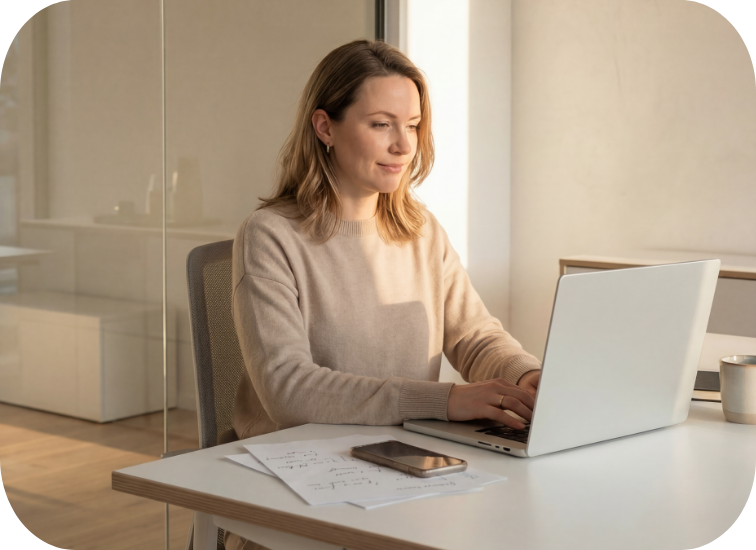
- Maintain eye contact: Look directly at the camera when you speak, as this mimics making eye contact with the interviewer. Avoid looking at yourself in the video preview or off to the sides. Position the camera straight on (not on a side monitor) to keep your gaze centered.
- Sit up straight: Good posture conveys confidence. Lean forward slightly to show interest and engagement. Try to stay centered in the camera frame and avoid being a “floating head”—make sure to include the top half of your chest in the frame.
- Smile and use natural gestures: Smiling and gesturing as you normally would help you appear approachable and engaged. Just be mindful to keep movements controlled to avoid distractions. Remain still, as constant bouncing or movement can be distracting to the interviewer.
- Speak clearly and at a moderate pace: Ensure your voice is clear and audible. Using headphones can improve sound quality unless the recruiting team suggests otherwise. Be concise when answeringquestions and allow the interviewer to drive the conversation. Before offering further explanations, ask if the interviewer would like you to elaborate
2- Present Yourself with Confidence
Non-verbal communication and body language play a crucial role in conveying confidence during an interview. How you present yourself on camera can be just as impactful as what you say.
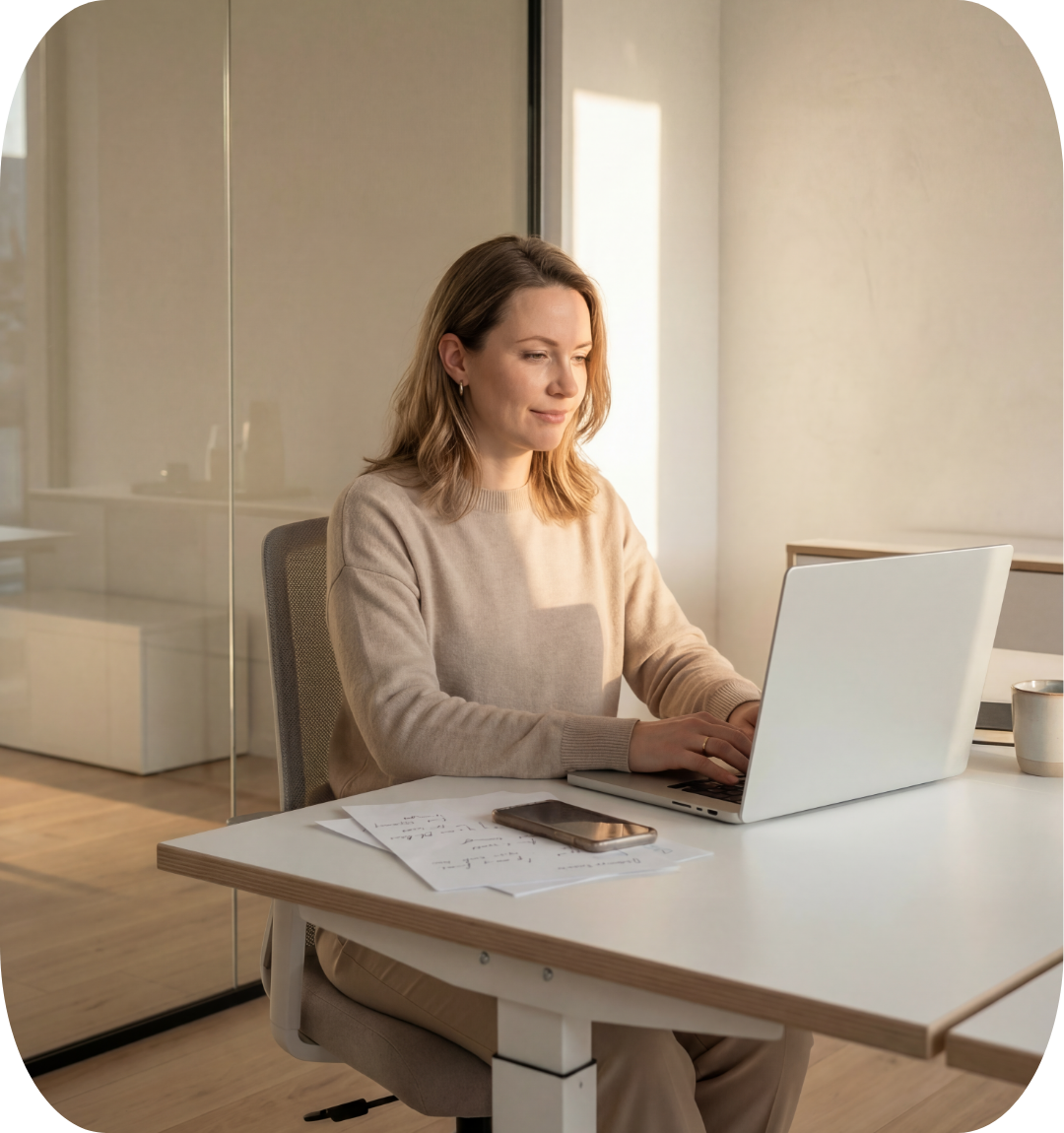
- Maintain eye contact: Look directly at the camera when you speak, as this mimics making eye contact with the interviewer. Avoid looking at yourself in the video preview or off to the sides. Position the camera straight on (not on a side monitor) to keep your gaze centered.
- Sit up straight: Good posture conveys confidence. Lean forward slightly to show interest and engagement. Try to stay centered in the camera frame and avoid being a “floating head”—make sure to include the top half of your chest in the frame.
- Smile and use natural gestures: Smiling and gesturing as you normally would help you appear approachable and engaged. Just be mindful to keep movements controlled to avoid distractions. Remain still, as constant bouncing or movement can be distracting to the interviewer.
- Speak clearly and at a moderate pace: Ensure your voice is clear and audible. Using headphones can improve sound quality unless the recruiting team suggests otherwise. Be concise when answeringquestions and allow the interviewer to drive the conversation. Before offering further explanations, ask if the interviewer would like you to elaborate
- Maintain eye contact: Look directly at the camera when you speak, as this mimics making eye contact with the interviewer. Avoid looking at yourself in the video preview or off to the sides. Position the camera straight on (not on a side monitor) to keep your gaze centered.
- Sit up straight: Good posture conveys confidence. Lean forward slightly to show interest and engagement. Try to stay centered in the camera frame and avoid being a “floating head”—make sure to include the top half of your chest in the frame.
- Smile and use natural gestures: Smiling and gesturing as you normally would help you appear approachable and engaged. Just be mindful to keep movements controlled to avoid distractions. Remain still, as constant bouncing or movement can be distracting to the interviewer.
- Speak clearly and at a moderate pace: Ensure your voice is clear and audible. Using headphones can improve sound quality unless the recruiting team suggests otherwise. Be concise when answeringquestions and allow the interviewer to drive the conversation. Before offering further explanations, ask if the interviewer would like you to elaborate
2- Present Yourself with Confidence
Non-verbal communication and body language play a crucial role in conveying confidence during an interview. How you present yourself on camera can be just as impactful as what you say.
- Smile and use natural gestures: Smiling and gesturing as you normally would help you appear approachable and engaged. Just be mindful to keep movements controlled to avoid distractions. Remain still, as constant bouncing or movement can be distracting to the interviewer.
- Speak clearly and at a moderate pace: Ensure your voice is clear and audible. Using headphones can improve sound quality unless the recruiting team suggests otherwise. Be concise when answeringquestions and allow the interviewer to drive the conversation. Before offering further explanations, ask if the interviewer would like you to elaborate
- Maintain eye contact: Look directly at the camera when you speak, as this mimics making eye contact with the interviewer. Avoid looking at yourself in the video preview or off to the sides. Position the camera straight on (not on a side monitor) to keep your gaze centered.
- Sit up straight: Good posture conveys confidence. Lean forward slightly to show interest and engagement. Try to stay centered in the camera frame and avoid being a “floating head”—make sure to include the top half of your chest in the frame.
- Smile and use natural gestures: Smiling and gesturing as you normally would help you appear approachable and engaged. Just be mindful to keep movements controlled to avoid distractions. Remain still, as constant bouncing or movement can be distracting to the interviewer.
- Speak clearly and at a moderate pace: Ensure your voice is clear and audible. Using headphones can improve sound quality unless the recruiting team suggests otherwise. Be concise when answeringquestions and allow the interviewer to drive the conversation. Before offering further explanations, ask if the interviewer would like you to elaborate
- Maintain eye contact: Look directly at the camera when you speak, as this mimics making eye contact with the interviewer. Avoid looking at yourself in the video preview or off to the sides. Position the camera straight on (not on a side monitor) to keep your gaze centered.
- Sit up straight: Good posture conveys confidence. Lean forward slightly to show interest and engagement. Try to stay centered in the camera frame and avoid being a “floating head”—make sure to include the top half of your chest in the frame.
3- Listen and Respond Thoughtfully
- Pause before answering:This helps you avoid talking over the interviewer, especially if there’s a slight audio delay. It also gives you a second to collect your thoughts before responding.
- Use the STAR method for questions: As mentioned earlier, use the STAR method to structure your answers, providing clear examples from your experience.
- Don’t be afraid to ask for clarification: If you don’t understand a question, it’s perfectly okay to ask the interviewer to clarify. This is better than guessing and providing an unrelated answer. 
- Keep your answers concise and relevant: While it’s important to provide enough detail, don’t ramble. Aim to answer each question clearly and concisely, focusing on the most important points. This helps keep the interview on track and demonstrates your ability to communicate effectively.
- Speak clearly and at a moderate pace: Make sure your voice is clear and easy to understand, especially if there’s a slight delay due to the video format. Avoid speaking too fast, as it can be difficult for interviewers to follow along.
- Stay positive: Even if you’re asked about difficult situations or challenges, maintain a positive tone. Focus on how you overcame obstacles or what you learned from those experiences.


4- Handling Questions During the Interview
During an interview, it’s important to approach each question thoughtfully and strategically. For behavioral questions, use the STAR method (Situation, Task, Action, Result) to provide clear, concise examples from your past experiences. This approach demonstrates your problem-solving abilities and showcases how you’ve successfully navigated similar situations. When addressing problem-solving questions, take your time to break down the problem, explain your thought process, and discuss the steps you would take to arrive at a solution. For adaptability questions, highlight times when you’ve faced unexpected changes or challenges and how you adjusted your approach to achieve positive outcomes.
This shows that you can thrive in dynamic environments. When tackling technical questions, focus on explaining your knowledge in a straightforward manner. If you’re unsure of an answer, it’s okay to admit it, but also demonstrate how you would go about finding a solution. Always stay calm, be honest, and showcase your eagerness to learn and grow.
3- Listen and Respond Thoughtfully
- Pause before answering:This helps you avoid talking over the interviewer, especially if there’s a slight audio delay. It also gives you a second to collect your thoughts before responding.
- Use the STAR method for questions: As mentioned earlier, use the STAR method to structure your answers, providing clear examples from your experience.
- Don’t be afraid to ask for clarification: If you don’t understand a question, it’s perfectly okay to ask the interviewer to clarify. This is better than guessing and providing an unrelated answer. 
- Keep your answers concise and relevant: While it’s important to provide enough detail, don’t ramble. Aim to answer each question clearly and concisely, focusing on the most important points. This helps keep the interview on track and demonstrates your ability to communicate effectively.
- Speak clearly and at a moderate pace: Make sure your voice is clear and easy to understand, especially if there’s a slight delay due to the video format. Avoid speaking too fast, as it can be difficult for interviewers to follow along.
- Stay positive: Even if you’re asked about difficult situations or challenges, maintain a positive tone. Focus on how you overcame obstacles or what you learned from those experiences.

4- Handling Questions During the Interview
During an interview, it’s important to approach each question thoughtfully and strategically. For behavioral questions, use the STAR method (Situation, Task, Action, Result) to provide clear, concise examples from your past experiences. This approach demonstrates your problem-solving abilities and showcases how you’ve successfully navigated similar situations. When addressing problem-solving questions, take your time to break down the problem, explain your thought process, and discuss the steps you would take to arrive at a solution. For adaptability questions, highlight times when you’ve faced unexpected changes or challenges and how you adjusted your approach to achieve positive outcomes.
This shows that you can thrive in dynamic environments. When tackling technical questions, focus on explaining your knowledge in a straightforward manner. If you’re unsure of an answer, it’s okay to admit it, but also demonstrate how you would go about finding a solution. Always stay calm, be honest, and showcase your eagerness to learn and grow.
5- Engage and Ask Your Own Questions
Asking questions shows that you’re engaged, thoughtful, and genuinely interested in the position. Be strategic about the questions you ask.
Sample Questions to Ask the Interviewer:
- What are the main priorities for the team over the next 6 months?
- Can you describe the typical career path for someone in this role?
- What do you think makes someone successful in this company?
- What tools or processes does the team use to manage projects or communication?
- How does the company support professional development and continuous learning?

Timing of questions: Save these questions for the end of the interview unless prompted earlier. Asking questions early on may disrupt the flow of the interviewer’s plan, so it’s best to let them guide the conversation before diving into your questions.
Avoid compensation and benefit questions unless asked: Focus on the role, the team, and the company culture. Leave compensation and benefits questions for later stages of the interview process unless the interviewer brings them up first.

6- Keep Calm and Composed
Interviews, especially virtual ones, can come with unexpected challenges. Staying calm and composed during these moments is key.
- Handle technical issues calmly: If a technical issue arises, such as a connection problem or audio glitch, don’t panic. Politely acknowledge the issue, “It seems like my audio/video is cutting out. Let me fix that quickly.” If necessary, ask the interviewer if you can switch to a phone call or reschedule.
- Control the pace of the interview: If the interviewer asks a question that catches you off guard, it’s okay to pause briefly to collect your thoughts. You can say, “That’s a great question. Let me think about that for a moment.” This shows that you’re thoughtful and not rushing to give a generic answer.
- Monitor your body language: Stay aware of your posture and expressions. Avoid crossing your arms, slouching, or fidgeting. Nodding occasionally shows you’re actively listening and engaged.
5- Engage and Ask Your Own Questions
Asking questions shows that you’re engaged, thoughtful, and genuinely interested in the position. Be strategic about the questions you ask.
Sample Questions to Ask the Interviewer:
- What are the main priorities for the team over the next 6 months?
- Can you describe the typical career path for someone in this role?
- What do you think makes someone successful in this company?
- What tools or processes does the team use to manage projects or communication?
- How does the company support professional development and continuous learning?
Timing of questions: Save these questions for the end of the interview unless prompted earlier. Asking questions early on may disrupt the flow of the interviewer’s plan, so it’s best to let them guide the conversation before diving into your questions.
Avoid compensation and benefit questions unless asked: Focus on the role, the team, and the company culture. Leave compensation and benefits questions for later stages of the interview process unless the interviewer brings them up first.


6- Keep Calm and Composed
Interviews, especially virtual ones, can come with unexpected challenges. Staying calm and composed during these moments is key.
- Handle technical issues calmly: If a technical issue arises, such as a connection problem or audio glitch, don’t panic. Politely acknowledge the issue, “It seems like my audio/video is cutting out. Let me fix that quickly.” If necessary, ask the interviewer if you can switch to a phone call or reschedule.
- Control the pace of the interview: If the interviewer asks a question that catches you off guard, it’s okay to pause briefly to collect your thoughts. You can say, “That’s a great question. Let me think about that for a moment.” This shows that you’re thoughtful and not rushing to give a generic answer.
- Monitor your body language: Stay aware of your posture and expressions. Avoid crossing your arms, slouching, or fidgeting. Nodding occasionally shows you’re actively listening and engaged.
5- Engage and Ask Your Own Questions
Asking questions shows that you’re engaged, thoughtful, and genuinely interested in the position. Be strategic about the questions you ask.
Sample Questions to Ask the Interviewer:
- What are the main priorities for the team over the next 6 months?
- Can you describe the typical career path for someone in this role?
- What do you think makes someone successful in this company?
- What tools or processes does the team use to manage projects or communication?
- How does the company support professional development and continuous learning?
Timing of questions: Save these questions for the end of the interview unless prompted earlier. Asking questions early on may disrupt the flow of the interviewer’s plan, so it’s best to let them guide the conversation before diving into your questions.
Avoid compensation and benefit questions unless asked: Focus on the role, the team, and the company culture. Leave compensation and benefits questions for later stages of the interview process unless the interviewer brings them up first.
6- Keep Calm and Composed
Interviews, especially virtual ones, can come with unexpected challenges. Staying calm and composed during these moments is key.
- Handle technical issues calmly: If a technical issue arises, such as a connection problem or audio glitch, don’t panic. Politely acknowledge the issue, “It seems like my audio/video is cutting out. Let me fix that quickly.” If necessary, ask the interviewer if you can switch to a phone call or reschedule.
- Control the pace of the interview: If the interviewer asks a question that catches you off guard, it’s okay to pause briefly to collect your thoughts. You can say, “That’s a great question. Let me think about that for a moment.” This shows that you’re thoughtful and not rushing to give a generic answer.
- Monitor your body language: Stay aware of your posture and expressions. Avoid crossing your arms, slouching, or fidgeting. Nodding occasionally shows you’re actively listening and engaged.
During your video interview, please rely on your own knowledge and experience when answering questions. While AI tools are widely used in many professional settings, using them during an interview to generate answers defeats the purpose of the conversation and may result in disqualification.
If you don’t know the answer to a question, it’s perfectly okay to say so. Hiring managers often value honesty, problem-solving approach, and willingness to learn more than a rehearsed or scripted response. A thoughtful explanation of how you would approach finding the answer can be just as valuable as knowing it immediately.
Remember: the goal of the interview is to understand how you think, communicate, and solve problems—not to test your ability to look up answers.

During your video interview, please rely on your own knowledge and experience when answering questions. While AI tools are widely used in many professional settings, using them during an interview to generate answers defeats the purpose of the conversation and may result in disqualification.
If you don’t know the answer to a question, it’s perfectly okay to say so. Hiring managers often value honesty, problem-solving approach, and willingness to learn more than a rehearsed or scripted response. A thoughtful explanation of how you would approach finding the answer can be just as valuable as knowing it immediately.
Remember: the goal of the interview is to understand how you think, communicate, and solve problems—not to test your ability to look up answers.
During your video interview, please rely on your own knowledge and experience when answering questions. While AI tools are widely used in many professional settings, using them during an interview to generate answers defeats the purpose of the conversation and may result in disqualification.
If you don’t know the answer to a question, it’s perfectly okay to say so. Hiring managers often value honesty, problem-solving approach, and willingness to learn more than a rehearsed or scripted response. A thoughtful explanation of how you would approach finding the answer can be just as valuable as knowing it immediately.
Remember: the goal of the interview is to understand how you think, communicate, and solve problems—not to test your ability to look up answers.
Your work isn’t done after the final question. What you do after the interview can be just as important as how you performed during it. Here’s how to wrap things up on a strong note:
1- Reflect on the Interview
Immediately after the interview, take a few minutes to reflect on how it went. Doing this while the conversation is still fresh in your mind will help you with follow-ups and future interviews.
- Write down key points: Jot down key moments from the interview, such as specific questions you were asked, how you answered, and anyareas of discussion. This can be useful when writing a thank-you note or preparing for a follow-up interview.
- Evaluate your performance: Consider what went well and what you could improve upon for future interviews. Were there any questions you felt particularly confident about? Were there any areas where you struggled? This reflection will help you fine-tune your approach for the next interview.

2- Follow Up with Your Recruiter
After your interview, it’s crucial to stay in touch with your Benchmark IT recruiter. They can offer insights into the process and help guide you through the next steps.
- Check-in about next steps: If the interviewer did not specify when you should expect to hear back, reach out to your recruiter a day or two after the interview to ask about the timeline.
- Ask for feedback: If you are not selected for the role, request feedback from your recruiter. This information can be valuable in helping you improve for future interviews.
3- Thank-You Notes After Interviews
During your post-interview debrief with your Benchmark IT recruiter, you will discuss your impressions of the role, the company fit, and your ongoing interest. Our team will communicate your feedback to the client on your behalf, so thank-you notes are generally not necessary.
For contract positions, thank-you notes are rarely expected. However, for full-time roles, a thank-you note may be appropriate. If you decide to write one, please forward it to us, and we will handle sending it to the client. Direct communication with the client is discouraged to maintain professionalism and consistency.
Your work isn’t done after the final question. What you do after the interview can be just as important as how you performed during it. Here’s how to wrap things up on a strong note:
1- Reflect on the Interview
Immediately after the interview, take a few minutes to reflect on how it went. Doing this while the conversation is still fresh in your mind will help you with follow-ups and future interviews.
- Write down key points: Jot down key moments from the interview, such as specific questions you were asked, how you answered, and anyareas of discussion. This can be useful when writing a thank-you note or preparing for a follow-up interview.
- Evaluate your performance: Consider what went well and what you could improve upon for future interviews. Were there any questions you felt particularly confident about? Were there any areas where you struggled? This reflection will help you fine-tune your approach for the next interview.
3- Thank-You Notes After Interviews
During your post-interview debrief with your Benchmark IT recruiter, you will discuss your impressions of the role, the company fit, and your ongoing interest. Our team will communicate your feedback to the client on your behalf, so thank-you notes are generally not necessary.
For contract positions, thank-you notes are rarely expected. However, for full-time roles, a thank-you note may be appropriate. If you decide to write one, please forward it to us, and we will handle sending it to the client. Direct communication with the client is discouraged to maintain professionalism and consistency.

2- Follow Up with Your Recruiter
After your interview, it’s crucial to stay in touch with your Benchmark IT recruiter. They can offer insights into the process and help guide you through the next steps.
- Check-in about next steps: If the interviewer did not specify when you should expect to hear back, reach out to your recruiter a day or two after the interview to ask about the timeline.
- Ask for feedback: If you are not selected for the role, request feedback from your recruiter. This information can be valuable in helping you improve for future interviews.
Your work isn’t done after the final question. What you do after the interview can be just as important as how you performed during it. Here’s how to wrap things up on a strong note:
1- Reflect on the Interview
Immediately after the interview, take a few minutes to reflect on how it went. Doing this while the conversation is still fresh in your mind will help you with follow-ups and future interviews.
- Write down key points: Jot down key moments from the interview, such as specific questions you were asked, how you answered, and anyareas of discussion. This can be useful when writing a thank-you note or preparing for a follow-up interview.
- Evaluate your performance: Consider what went well and what you could improve upon for future interviews. Were there any questions you felt particularly confident about? Were there any areas where you struggled? This reflection will help you fine-tune your approach for the next interview.
2- Follow Up with Your Recruiter
After your interview, it’s crucial to stay in touch with your Benchmark IT recruiter. They can offer insights into the process and help guide you through the next steps.
- Check-in about next steps: If the interviewer did not specify when you should expect to hear back, reach out to your recruiter a day or two after the interview to ask about the timeline.
- Ask for feedback: If you are not selected for the role, request feedback from your recruiter. This information can be valuable in helping you improve for future interviews.
3- Thank-You Notes After Interviews
During your post-interview debrief with your Benchmark IT recruiter, you will discuss your impressions of the role, the company fit, and your ongoing interest. Our team will communicate your feedback to the client on your behalf, so thank-you notes are generally not necessary.
For contract positions, thank-you notes are rarely expected. However, for full-time roles, a thank-you note may be appropriate. If you decide to write one, please forward it to us, and we will handle sending it to the client. Direct communication with the client is discouraged to maintain professionalism and consistency.

4- Patience and Professionalism
Waiting to hear back after an interview can be nerve-wracking, but it’s important to stay patient and professional.
- Respect the timeline: If the interviewer or recruiter gave you a timeline for when you should expect a decision, wait until that time has passed before following up.
- Maintain professionalism: Even if the process takes longer than expected, remain professional in all your communications. If you haven’t heard back after a reasonable amount of time, a polite follow-up email to check on the status is perfectly fine.


5- Prepare for Potential Next Steps
Depending on the company’s hiring process, you may be asked to participate in additional interviews, assessments, or case studies. Being prepared for these potential next steps is crucial.
- Second interviews: These interviews may involve more in-depth discussions with higher-level managers, team members, or even cross-departmental staff. Be ready to discuss your experience in more detail or showcase specific skills.
- Skills assessments or case studies: Some companies may require you to complete a case study or skills assessment as part of the interview process. If this is mentioned in your initial discussions, familiarize yourself with the common formats for assessments in your industry (e.g., coding challenges for developers, portfolio reviews for designers, etc.).
- Reference checks: Ensure that your references are aware that they may be contacted. Reach out to them in advance to confirm their availability and give them a heads-up on the type of role you’re interviewing for.
4- Patience and Professionalism
Waiting to hear back after an interview can be nerve-wracking, but it’s important to stay patient and professional.
- Respect the timeline: If the interviewer or recruiter gave you a timeline for when you should expect a decision, wait until that time has passed before following up.
- Maintain professionalism: Even if the process takes longer than expected, remain professional in all your communications. If you haven’t heard back after a reasonable amount of time, a polite follow-up email to check on the status is perfectly fine.
5- Prepare for Potential Next Steps
Depending on the company’s hiring process, you may be asked to participate in additional interviews, assessments, or case studies. Being prepared for these potential next steps is crucial.

- Second interviews: These interviews may involve more in-depth discussions with higher-level managers, team members, or even cross-departmental staff. Be ready to discuss your experience in more detail or showcase specific skills.
- Skills assessments or case studies: Some companies may require you to complete a case study or skills assessment as part of the interview process. If this is mentioned in your initial discussions, familiarize yourself with the common formats for assessments in your industry (e.g., coding challenges for developers, portfolio reviews for designers, etc.).
- Reference checks: Ensure that your references are aware that they may be contacted. Reach out to them in advance to confirm their availability and give them a heads-up on the type of role you’re interviewing for.
4- Patience and Professionalism
Waiting to hear back after an interview can be nerve-wracking, but it’s important to stay patient and professional.
- Respect the timeline: If the interviewer or recruiter gave you a timeline for when you should expect a decision, wait until that time has passed before following up.
- Maintain professionalism: Even if the process takes longer than expected, remain professional in all your communications. If you haven’t heard back after a reasonable amount of time, a polite follow-up email to check on the status is perfectly fine.
5- Prepare for Potential Next Steps
Depending on the company’s hiring process, you may be asked to participate in additional interviews, assessments, or case studies. Being prepared for these potential next steps is crucial.
- Second interviews: These interviews may involve more in-depth discussions with higher-level managers, team members, or even cross-departmental staff. Be ready to discuss your experience in more detail or showcase specific skills.
- Skills assessments or case studies: Some companies may require you to complete a case study or skills assessment as part of the interview process. If this is mentioned in your initial discussions, familiarize yourself with the common formats for assessments in your industry (e.g., coding challenges for developers, portfolio reviews for designers, etc.).
- Reference checks: Ensure that your references are aware that they may be contacted. Reach out to them in advance to confirm their availability and give them a heads-up on the type of role you’re interviewing for.
E) Bonus Tips
1- Mastering the Small Details:
- Body language: Even in a video interview, body language matters. Avoid crossing your arms, slouching, or fidgeting. Lean slightly forward to show interest, nod occasionally to indicate that you are actively listening, and smile naturally when appropriate.
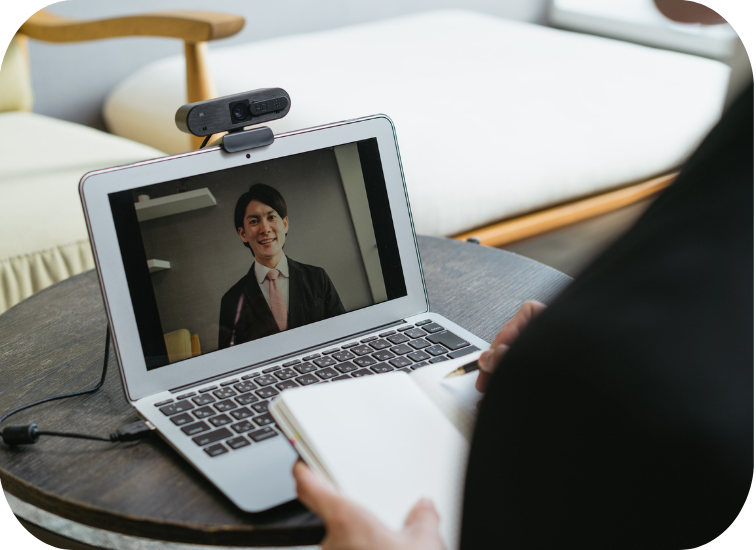
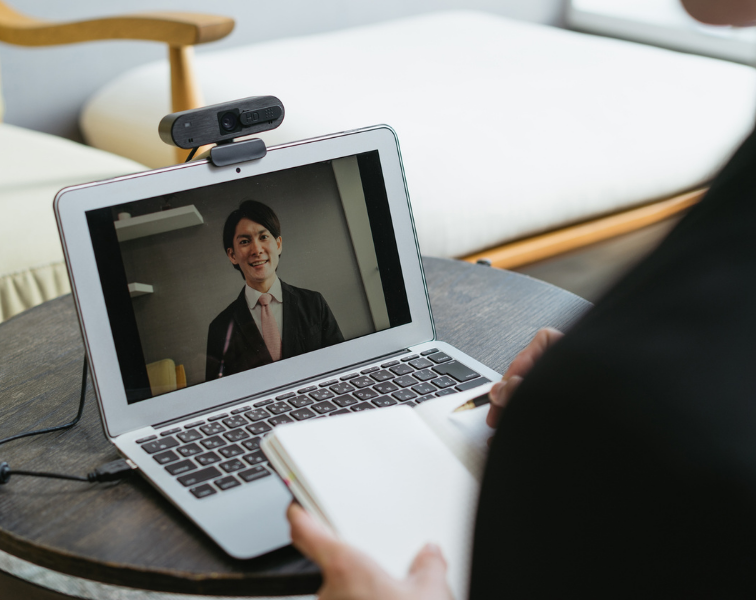
- Use of a notepad: It is perfectly fine to have a notepad in front of you to jot down key points during the interview. However, avoid writing excessively, as this can make it appear as though you are not paying attention. If possible, use your notes sparingly.
- Practice makes perfect: If you are nervous, consider recording a mock interview with a friend or using software that allows you to record yourself. This will help you identify any areas where you can improve your delivery, eye contact, or posture.
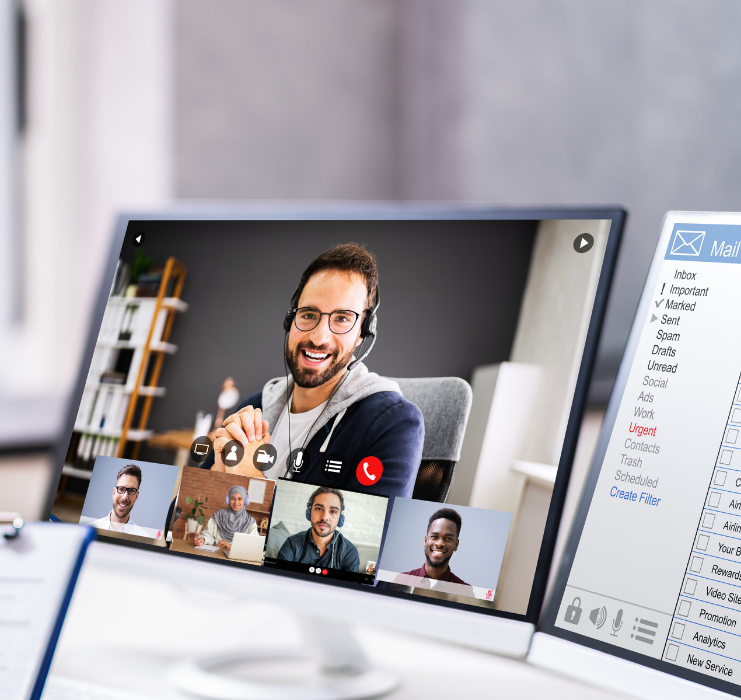
2- Handling Multiple Interviewers:
Sometimes, you will be interviewed by a panel of people or in back-to-back interviews with multiple team members. Here is how to handle those situations:
- Address all interviewers: In a panel interview, make sure to address all interviewers when answering questions, not just the person who asked the question. This shows that you are engaging with the entire group and recognize each interviewer’s role.
- Tailor answers based on interviewer roles: For example, if you are speaking to someone from HR, you might focus more on company culture and alignment with organizational values. If you are talking to a technical team member, lean into your technical skills and experience.

3- Be Ready for Unexpected Situations:
Interviews are rarely 100% predictable, and you may face unexpected challenges like:
- Unforeseen technical difficulties: If your video suddenly freezes or you lose your internet connection, remain calm, and try to reconnect as quickly as possible. If it is a persistent issue, suggest switching to a phone interview or rescheduling at the interviewer’s convenience.
- Unusual or tricky questions: Some interviewers might ask unconventional questions like,“If you were an animal, which one would you be and why?” or “How would you explain the internet to a child?” These questions are designed to test your creativity and thought process. There is no right or wrong answer, so just be yourself and have fun with it!
4- Avoid Traditional Mistakes:
- Talking too much or too little: Strike a balance between being concise and providing enough detail in your answers. Over-explaining can come across as rambling, while under-explaining may make it seem like youdo not have much to offer. Aim for responses that are around 1-2 minutes long unless the question calls for a deep dive.
- Not asking questions: Failing to ask insightful questions at the end of the interview can make it seem like you are not interested. Always have a list of 3-4 thoughtful questions prepared to show your engagement.
- Bad-mouthing previous employers: Even if you left a job under challenging circumstances, avoid speaking negatively about your previous employers or colleagues. Focus on what you learned from the experience and how you have grown as a professional.
1- Mastering the Small Details:
- Body language: Even in a video interview, body language matters. Avoid crossing your arms, slouching, or fidgeting. Lean slightly forward to show interest, nod occasionally to indicate that you are actively listening, and smile naturally when appropriate.
- Use of a notepad: It is perfectly fine to have a notepad in front of you to jot down key points during the interview. However, avoid writing excessively, as this can make it appear as though you are not paying attention. If possible, use your notes sparingly.
- Practice makes perfect: If you are nervous, consider recording a mock interview with a friend or using software that allows you to record yourself. This will help you identify any areas where you can improve your delivery, eye contact, or posture.
3- Be Ready for Unexpected Situations:
Interviews are rarely 100% predictable, and you may face unexpected challenges like:
- Unforeseen technical difficulties: If your video suddenly freezes or you lose your internet connection, remain calm, and try to reconnect as quickly as possible. If it is a persistent issue, suggest switching to a phone interview or rescheduling at the interviewer’s convenience.
- Unusual or tricky questions: Some interviewers might ask unconventional questions like,“If you were an animal, which one would you be and why?” or “How would you explain the internet to a child?” These questions are designed to test your creativity and thought process. There is no right or wrong answer, so just be yourself and have fun with it!

2- Handling Multiple Interviewers:
Sometimes, you will be interviewed by a panel of people or in back-to-back interviews with multiple team members. Here is how to handle those situations:
- Address all interviewers: In a panel interview, make sure to address all interviewers when answering questions, not just the person who asked the question. This shows that you are engaging with the entire group and recognize each interviewer’s role.
- Tailor answers based on interviewer roles: For example, if you are speaking to someone from HR, you might focus more on company culture and alignment with organizational values. If you are talking to a technical team member, lean into your technical skills and experience.
4- Avoid Traditional Mistakes:
- Talking too much or too little: Strike a balance between being concise and providing enough detail in your answers. Over-explaining can come across as rambling, while under-explaining may make it seem like youdo not have much to offer. Aim for responses that are around 1-2 minutes long unless the question calls for a deep dive.
- Not asking questions: Failing to ask insightful questions at the end of the interview can make it seem like you are not interested. Always have a list of 3-4 thoughtful questions prepared to show your engagement.
- Bad-mouthing previous employers: Even if you left a job under challenging circumstances, avoid speaking negatively about your previous employers or colleagues. Focus on what you learned from the experience and how you have grown as a professional.
F) Summary Checklist for Success
Before the Interview:
During the Interview
After the Interview:
Have more questions?
For further inquiries, please reach out at the following and someone will get back to you shortly.
+(203) 304-5500
info@bmarkits.com